
Cans
Audio Boost, Pan & EQ for any tab
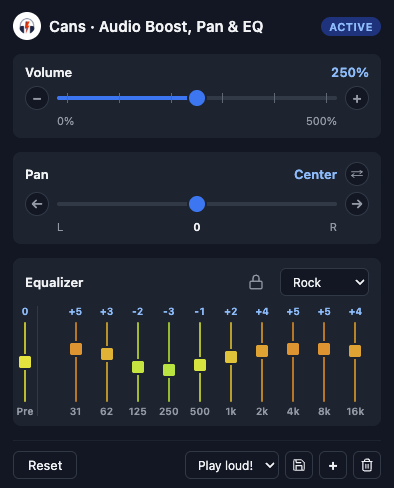
A Chrome extension that processes the active tab's audio in real time — push the volume past 100 %, pan the stereo image, swap left and right channels, and shape the sound with a 10-band EQ.
What it does
- Volume boost — 0 to 500 %, well past Chrome's built-in ceiling. For quiet recordings, under-mixed podcasts and laptop speakers that just won't reach.
- Stereo pan & channel swap — move the audio between your ears, or send the left channel to your right ear with one tap. Useful for guitar practice with backing tracks, dead earbuds, or films that mix dialogue to the wrong side.
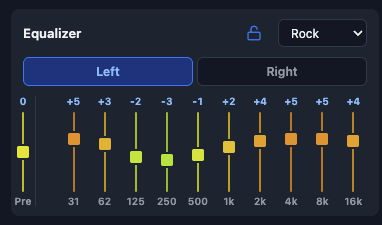
- 10-band equalizer — 31 Hz to 16 kHz, ±12 dB per band, with a preamp and eight built-in presets (Flat, Rock, Pop, Jazz, Classical, Bass, Treble, Vocal).
- Independent left/right EQ — unlock the EQ to get two independent chains with their own tabs and presets. Handy if your hearing isn't symmetric.
- Profiles — save full snapshots of every control and roam them across your devices via Chrome sync.
Screenshots
Get it
Cans is live on the Chrome Web Store — install it from here. If you want to talk audio extensions or share feedback, the contact details are on the home page.